

Reference

Deposits, Withdrawals and Verification on dgb333

Your dgb333 account connects directly to bKash, Nagad and Rocket — the three wallets most Bangladesh accounts already run on. Fund your balance, request a withdrawal or complete verification without leaving the mobile browser, subject to your local law and eligible region.

bKash DepositNagad TransferRocket PaymentSecure VerificationFast Withdrawals
dgb333 Deposits, Withdrawals and Verification on dgb333
dgb333 Request a Payout to Your Wallet

Request a Payout to Your Wallet

Withdrawals on dgb333 go back to the same wallet you used to deposit — bKash, Nagad or Rocket. We route payouts this way to keep your account flow simple and to reduce verification friction. Before you submit a withdrawal request, make sure your account verification is complete; an unverified account will hold the request at the review stage. The cashier shows the

minimum withdrawal amount at the time you open it, so check that screen rather than relying on a figure stated here.

  • Open the withdrawal cashier — Go to your account menu and select withdrawal to open the payout cashier.
  • Select your payout wallet — Choose bKash, Nagad or Rocket — ideally the same wallet linked to your deposits to keep processing smooth.
  • Enter the amount and submit — Input the payout amount, double-check the wallet number shown, then submit the request for review.
  • Verification check before release — Our team reviews the request against your verified account details before the payout is sent to your wallet.

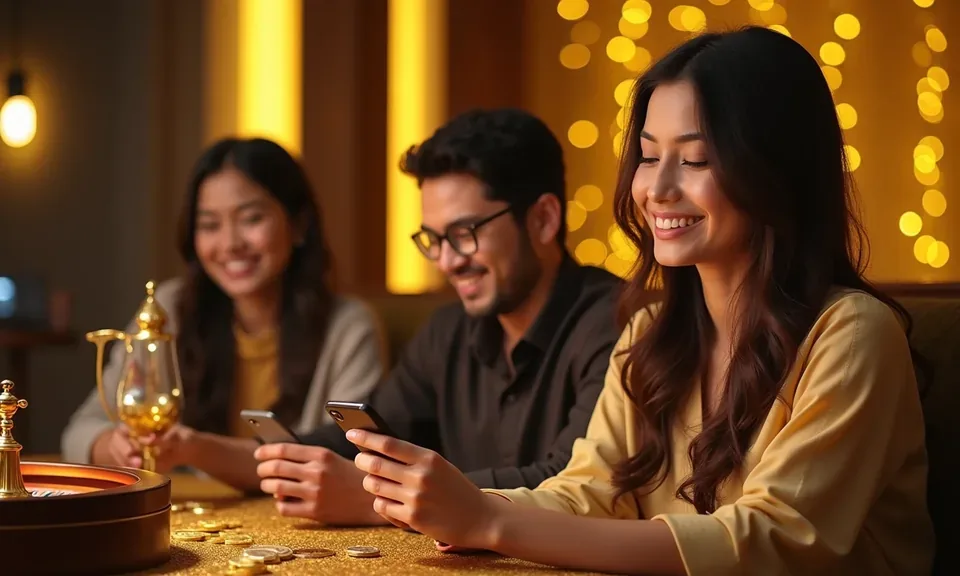
Wallets and Transfer Options We Accept

dgb333 banking for Bangladesh runs on the three mobile wallets most accounts already use — bKash, Nagad and Rocket. Bank Transfer is also available for accounts that prefer a direct channel. Availability for each method depends on your account region and local law; the cashier screen shows which options are active for your account at any given time.

bKash

Send directly from your bKash wallet. Enter the amount in the cashier, open your bKash app and confirm the transfer with your PIN.

Nagad

Nagad transfers post to your dgb333 balance once the wallet network confirms. Use your Nagad PIN or OTP to complete the send.

Rocket

Rocket is accepted for both deposits and withdrawals. The cashier shows the account number; confirm in your Rocket app to proceed.

Bank Transfer

For accounts that use direct bank channels, bank transfer is available where active. Check the cashier for current availability on your account.

dgb333 Send Money into Your dgb333 Balance

Send Money into Your dgb333 Balance

Opening your deposit cashier takes a few seconds from the account menu. We accept bKash, Nagad and Rocket as the primary wallet rails for Bangladesh accounts. Once you confirm the transfer in your wallet app, the amount posts to your dgb333 balance so you can move straight to the lobby — whether that is live casino tables, crash games like Crash SpinWin

or slots such as Emerald Valley Slots. No invented processing window is promised here; clearing depends on the wallet network at the time.

  • Open the deposit cashier — Log in to your account and tap the deposit button in the top menu to open the cashier screen.
  • Choose your wallet — Select bKash, Nagad or Rocket from the method row — whichever wallet is active on your phone right now.
  • Enter the amount and confirm — Type the amount you want to add, then follow the prompt to your wallet app and approve with your PIN or OTP.
  • Balance updates in the lobby — Once the wallet network confirms the transfer, the amount appears in your dgb333 account balance ready to use.
dgb333 Verify Your dgb333 Account

Verify Your dgb333 Account

Verification on dgb333 protects your balance and speeds up withdrawal requests. We ask you to submit a valid photo ID and a document that confirms your wallet ownership — for bKash, Nagad or Rocket this is usually a screenshot of the wallet account screen showing your registered number. Once our team reviews your documents, your account is marked verified and payout requests

move faster through the cashier. Players in Dhaka and elsewhere in Bangladesh complete this step through the account settings page on any mobile browser; no app download is required for verification.

  • Go to account settings — Log in and open the verification section under your account settings — it shows the current status and what is still needed.
  • Upload a valid photo ID — Submit a clear image of your national ID card or passport so we can confirm your identity against your account details.
  • Confirm your wallet ownership — Upload a wallet screenshot or statement that shows your bKash, Nagad or Rocket number matching the one on your account.
  • Await team review — Our verification team checks the submitted documents and updates your account status; you will see the confirmed badge once approved.

Common Questions About dgb333 Banking

If something in the cashier is unclear or a transaction is sitting pending, these answers cover the most common situations. For anything not listed here, reach our support team directly through the account help channel.

bKash, Nagad and Rocket are the main deposit options for Bangladesh accounts. Bank Transfer is also available where active. The cashier shows what is currently enabled for your account.

The cashier screen shows the current minimum at the time you open it. We do not publish a fixed figure here because it can vary by method and account type.

First check your wallet app to confirm the transfer was completed there. If the wallet confirms but your dgb333 balance has not updated, contact account support with the transaction reference.

Open the withdrawal cashier, select bKash, enter the amount and confirm the wallet number is correct. Submit the request and our team will review it against your verified account details before releasing the payout.

Requests are usually held when account verification is incomplete. Go to account settings, check your verification status and submit any missing documents to move the request forward.

Yes — a verified account is required before a withdrawal request is processed. Submit your photo ID and wallet ownership document through the verification section in account settings.
Reference

Dgb333 Banking

Service availability depends on eligible regions and local law. Users should check local rules before opening an account.

Access may be available only where local law permits.